If your AI API usage suddenly rises, what will stop the next request?
The answer may be: nothing. A budget alert can tell you that spending has passed a threshold while leaving the API running. An enforced spend limit is different: it can block further requests, but it may not act immediately or hold the bill to an exact ceiling.
Before launch, find out which control you have, what it covers, and what your product will do when it takes effect. “Budget” is not a precise enough description to answer those questions.
Is an AI API budget alert the same as a spending limit?
No. An alert is a notification; it does not necessarily restrict usage. A spending limit is an enforcement control intended to stop some or all usage once a threshold is reached. Even an enforced limit may allow some additional charges before it takes effect.
For example, OpenAI distinguishes spend alerts from hard spend limits: alerts notify you while API traffic continues, whereas a hard limit can cause affected requests to return an error. OpenAI also notes that enforcement is not instantaneous, so recorded spending can slightly exceed the configured limit. Google Cloud likewise warns that its alerts-only budgets do not automatically cap spending.
The practical test is not whether a provider dashboard contains a budget setting. It is whether the provider says that crossing the threshold changes what requests are accepted.
Five controls that are easy to confuse
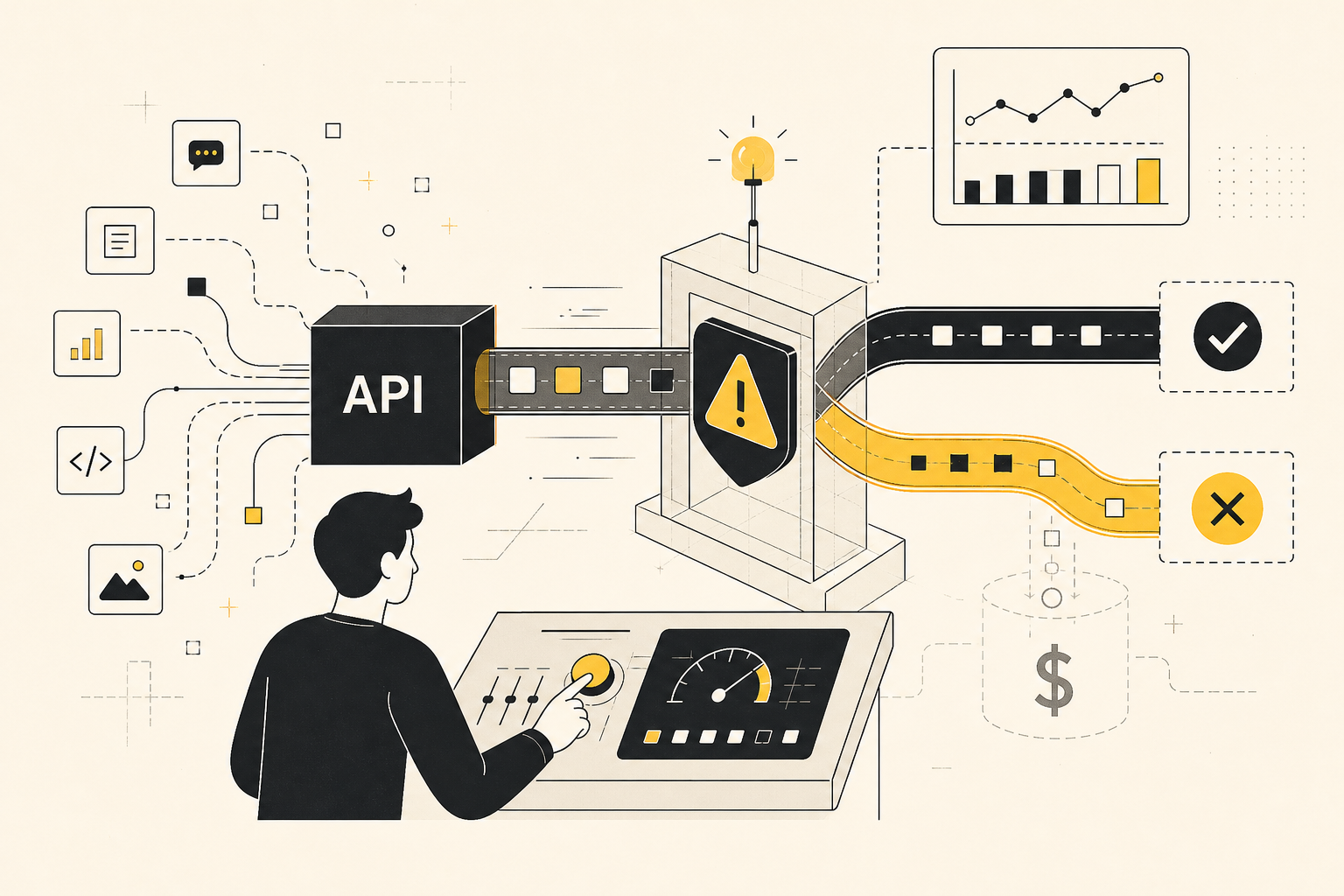
Cost controls operate at different points in the chain between noticing usage and blocking it. Think of them as a ladder of intervention.
Usage visibility means you can inspect usage or spending reports. This helps you understand what happened, but a report alone does not warn you in time or stop requests.
Alerts notify selected people when spending reaches a threshold. They are useful if someone can respond quickly, but an alert is not an automatic shutoff. Google Cloud’s documentation explicitly cautions that its budget alerts do not cap usage.
Rate limits restrict how quickly requests or tokens can be used. They can help constrain bursts, but they are not the same as a monthly spending ceiling. A rate limit may slow or reject requests at a particular moment without guaranteeing that total spending stays below a chosen amount. Gemini API documentation, for example, describes request and token limits separately from spend-based controls.
Prepaid balances make a balance of credits available before further use. This may help manage exposure, but do not assume that reaching zero has a particular effect. Confirm whether requests are rejected, whether any other billing path remains available, and how the provider handles outstanding work.
Enforced spend caps are intended to restrict usage when a spend threshold is reached. They are the control most directly aimed at stopping further spending, but their scope and timing matter. A cap may apply to a particular project or service, not every API key, account, or product you operate.
These mechanisms can work alongside one another. None should be treated as a substitute for checking what the others actually do.
Why a hard cap may not be an exact ceiling
A configured number is not necessarily the maximum amount that can appear on your bill. Enforcement can involve usage measurement and processing time, and requests already underway may have different treatment from new requests.
The details vary by provider. OpenAI says hard-limit enforcement is not instantaneous and that spending can slightly exceed the configured limit. Google’s Gemini API documentation describes project-level spend caps as experimental, warns of roughly ten minutes of billing-processing latency, and notes that long-running tasks may produce overages beyond a project cap.
Those caveats are not universal rules about every AI API. They are reasons to read the current documentation for the exact control you intend to use. In particular, check whether the provider explains what happens to requests already in progress, queued work, or long-running operations. If it does not say, do not assume those costs disappear when a threshold is crossed.
A useful way to think about the risk is: your exposure includes both usage before enforcement and any usage the provider says can continue during processing or in-flight work. The documentation may not provide enough information to calculate an exact worst-case bill. In that case, treat the cap as a guardrail, not a guarantee.
What happens to your product when the limit is reached?
An enforced limit protects against some additional usage by refusing requests—but that can also make an AI feature unavailable. If your product depends on the API for a central action, users may encounter errors or be unable to complete that action until access resumes.
Decide in advance what the user should see. A clear message that a feature is temporarily unavailable is usually more useful than a mysterious failure. Depending on the product, you might let users continue with non-AI parts of the workflow, offer a retry later, or pause the affected feature. These are product decisions, not behaviors you can assume the provider will supply for you.
Also establish who can respond to an alert and who can change the limit or restore service. A cap that no one knows has been reached can leave a product broken longer than necessary; an alert sent to an unattended inbox may not help during an overnight spike.
A pre-launch checklist for AI API cost controls
Before relying on a provider setting, check these points in its current documentation or dashboard:
1. What kind of control is this? Is it visibility, an alert, a rate limit, a prepaid balance, or an enforced spend cap? 2. What does it cover? Confirm the account, project, service, model, or other scope. Check whether every key and environment you use is included. 3. What spending counts toward it? Look for what usage is included and whether the displayed amount is processed instantly or with a delay. 4. Who receives alerts? Confirm the recipients and whether someone is responsible for acting on them. 5. What event blocks requests? Does the provider reject new requests, pause a service, or apply another response? What happens to work already in progress? 6. How close to the threshold can actual charges get? Look for stated latency, overage, or long-running-task caveats. If the documentation is unclear, ask the provider rather than assuming the displayed limit is exact. 7. When does access resume? Check whether the restriction resets automatically, requires a billing change, or needs a person to intervene. 8. Can you verify the behavior safely? If possible, test the control in a low-risk environment before depending on it in production. Avoid testing by generating substantial real usage.
Finally, consider a separate safeguard for risks the provider control does not cover. For example, an application can be designed to limit how often a user triggers an AI action. That is a product-level measure, not a replacement for understanding provider billing controls, and its exact implementation depends on your system.
The decision rule is simple: if you need usage to stop, verify that the setting explicitly blocks requests—and understand its scope, delay, and failure behavior. Treat alerts as a way to learn about spending, not as a brake. Treat a hard cap as a useful boundary with documented limitations, not a promise of an exact final bill. Check the provider’s current terms before launch, since control names and behavior can change.