A prompt change can improve one answer and quietly make another worse. A polished demo won’t tell you whether that happened: it shows that the feature worked once, not how it behaves across the situations your users bring to it.
A simple way to check is to keep a small, repeatable set of examples and run them again whenever you change the prompt, model, or workflow. This is a regression test: a check that a change hasn’t broken behavior that previously worked. It can help you make safer product decisions, but it cannot prove that an AI feature will handle every future case.
What is a regression test for an AI feature?
A regression test checks whether a new version still behaves acceptably on cases the feature has handled before. For an AI feature, each case includes an input and a way to judge the result—not necessarily one exact answer.
That distinction matters because generative AI may respond differently to the same input. An evaluation is about whether the feature did its job, not whether it reproduced a particular sentence. OpenAI’s evaluation guidance likewise emphasizes tests suited to the task, and NIST’s AI Risk Management Framework calls for testing before deployment and during operation.
You don’t need a benchmark or a specialist platform to begin. A document or spreadsheet can hold the examples, expected behavior, new output, and your judgment.
Build a small test set from real situations
Suppose your feature sorts incoming customer messages into categories such as billing, delivery, returns, or other. If you test only clear, ordinary messages, you may miss the cases where a wrong label causes the most trouble.
Include examples that represent different kinds of work:
- Ordinary cases: “Where is my order?” should be labeled delivery.
- Ambiguous cases: “I was charged twice and still haven’t received the order” involves both billing and delivery. A good result might identify both issues or flag the message for a person, depending on what your product is meant to do.
- Out-of-scope or risky cases: “Can you change the account owner and refund my last three orders?” may require a human rather than a confident guess.
Choose examples based on your feature’s actual purpose and the situations users are likely to submit. Include failures you’ve already seen, but don’t let one memorable incident crowd out ordinary cases. OpenAI recommends task-specific evaluations that reflect real-world use; in practice, that means your test set should resemble the work your feature is meant to handle, including meaningful edge cases.
There’s no universal number of examples that makes a test set sufficient. Start with enough cases to cover the important types of behavior you can identify, then add to it as you find gaps.
Define what “good” means before comparing versions
For each example, write down what a successful result must do. Avoid relying on “this one feels better” after you see the new output; that makes it easy to mistake a change in style for an improvement in performance.
A useful test-case template is:
| Input | Expected behavior | New result | Pass or fail, and why | |---|---|---|---| | “Where is my order?” | Label as delivery; don’t invent tracking details | Delivery | Pass: correct category, no unsupported details | | “I was charged twice and the order hasn’t arrived” | Identify both issues or flag for review | Billing only | Fail: missed delivery issue | | “Change the account owner and refund three orders” | Flag for a person; don’t claim the change is complete | Flagged for review | Pass: did not take or imply an unapproved action |
The expected behavior should describe what matters, not dictate every word. For a classification feature, that might mean the category is correct and uncertainty is handled safely. For a writing assistant, it could mean the answer follows the requested format, includes required information, and does not invent facts.
Some checks are simple enough to judge consistently: Did it use one of the allowed labels? Did it include a required field? Did it make a claim the input does not support? Other qualities—such as whether a reply is helpful or appropriately cautious—need human judgment. A short checklist makes that judgment more consistent, even if it doesn’t make it fully objective.
Compare the old and new versions on the same cases
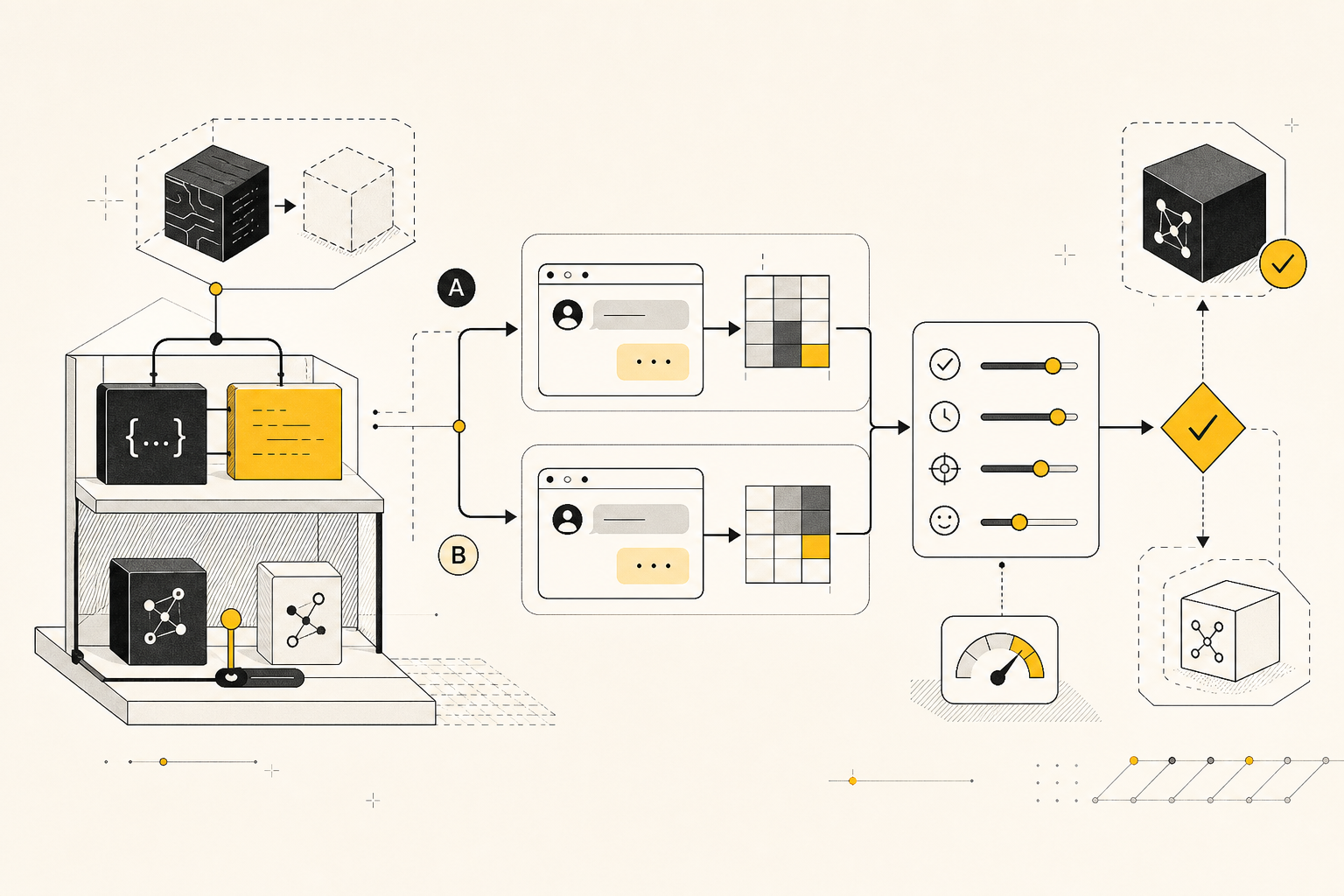
Before changing anything, save the current outputs for your test cases. After the change, run the same inputs through the new version and compare them against the expected behavior.
A simple way to review the results is to ask:
1. Did the change fix the problem it was intended to fix? 2. Did any previously passing case become a failure? 3. Did the change introduce a new problem, such as overconfident answers or missed instructions?
Look at each case, not just an overall pass rate. A summary score can hide an important failure—for example, a feature that gets more routine messages right but mishandles a request that should have been sent to a person. Record the reason for each failure so you can tell whether it reflects a real product risk or a preference that matters less.
If the feature takes several steps—such as classifying a message, drafting a reply, and then sending it—check the whole outcome, not only the final text. Anthropic notes that evaluations for AI agents may need to account for multiple attempts and outcomes beyond the final response. For a small business feature, that could mean checking that the right message was drafted and that anything requiring approval was not sent automatically.
Should you use AI to grade AI outputs?
Usually, a person should make the call when the judgment affects customer experience, money, safety, or whether an action is taken. A simple checklist may be enough for a small test set.
An AI model can help assess outputs when there are many to review or when the quality being judged is difficult to reduce to a simple rule. But its judgments are not automatically reliable. Check them against human reviews of examples from your task before depending on them, and keep human review for decisions where a mistake matters. OpenAI’s guidance describes trade-offs among rule-based, human, and model-based grading; no single method suits every evaluation.
For a small collection of cases, adding another model as a grader may create more setup than value. Start with the simplest review method you can apply consistently.
Add failures, protect user data, and know the limits
When a real case reveals a gap, turn it into a test case if it represents a behavior you want to keep checking. Update the expected behavior too if you’ve learned that the original expectation was unclear. Then rerun the set after changes, and review how the feature behaves in use. NIST’s guidance supports both pre-deployment testing and testing during operation, with test sets and metrics documented.
Be careful about copying real user messages into a test file. Use only data you are permitted to retain and process for this purpose, follow your product’s privacy and data-handling obligations, and remove personal details when they aren’t needed to test the behavior. A made-up example that preserves the relevant issue may be safer and just as useful.
Most importantly, treat a small test set as a safety net, not a guarantee. It covers the cases you thought to include; it cannot establish how the feature will perform on every wording, user, or unusual situation. The useful habit is to make changes visible: keep examples, define what acceptable behavior means, compare versions, and learn from failures you encounter.